Monday, March 20, 2023

CCR Planning Part 2

In this post, I will be answering the last two questions of the CCR questions:
  • How does your product use or challenge conventions and how does it represent social groups or issues?
  • How did your production skills develop throughout this project?

 1. Conventions for horror which my product uses a visual style of dark colors like dark reds, blues, and blacks. These colors through mise en scene link to evils and danger. Teenagers are represented in the typical horror manner as being immature. In this production, "immature" is represented by the relative ease of the dentist to make Logan the victim. Conventions which were challenged in the production were that the story follows a "hero" or protagonist. This story will follow the antihero who commits the acts of malpractice. 

The story represents social groups in that it represent an underrepresented group in the media world. From my research, I learned that only 5.3 percent of characters in movies produced by large media companies are Asian, even lacking the distinction to which type. This is an issue which is brought up by the main characters of the opening being both Indian with the majority of the cast being non-White. As well as this, in many productions, Asian characters have no lines, are nameless, faceless, and have no story. These characters are also given no motivation. This, is a trend which is challenged through my production. It gives the Asian characters a story, motivation, and follows their perspective throughout the story. 


2. My production skills developed so much throughout the course of this project. Not only, did I learn how to manage such a large project with many parts, my editing and filming skills improved. When I started the project, I was at first unsure how to proceed with the mountain of work that had to be done in order to successfully complete the video. For me, it began with planning so I did not fall behind, like I saw other students when they fell behind on blogs. This ensured that I did not stack work for the following weeks. As well as this, I learned what it meant to create a cohesive story. At the beginning of the school year, I tried to bunch abstract ideas into one video, but this made it so that my ideas were not conveyed as I had hoped. Therefore, I went for a much simpler concept which I could master. 


My production skills developed as I learned many new uses to Premiere Pro such as Color Replacement and how to make scenes look less overexposed. My filming skills also improved, learning how to frame my shots and ensure that there were no jarring jump shots. I learned how to make the most of the technology that I had and made shots appear as they were breathing. Prior to this, I would not dare to touch the blur feature and would have mostly still shots. In this, while the shots continued to be still, there was reason behind it. 


In my next post, I will be deciding what mediums to make my CCR.


Sources:
https://www.statista.com/statistics/641132/ethnicity-film-characters/

https://aapr.hkspublications.org/2022/05/16/media-matters-why-asian-american-representation-in-media-is-a-social-justice-issue/


Friday, March 17, 2023

Editing (Part 3/3)

 The final editing day. Today I got the second half of the video done. I made some more Foley sounds, put together a more cohesive second section to the video, made intro credits, and surpassed some obstacles. 

First, the Foley. Listening back to the injection sound, I felt as though it was a bit flat with just soap sounds, so I added depth to it by crushing up an apple and squishing it to create a more harsh sound to compliment the soapy sound. Now it sounds as though the needle is really going deep, while not showing it. As well as this, there were some sections where Foley was required to make it look like I was really working on the teeth. There was a section with a scraper where there was no other sound, so I used Foley to make it more interesting. The scene had a scraper being used to remove the plaque in teeth, so I got a plastic stick and dragged it across the table, making a scraping sound. 

When I was editing the tooth removal scene, it looked unrealistic without any blood. I attempted to change that. I saw how the tooth had a variety of colors on it which would be the same on the pliers. With this in mind I used the Color Replace feature on Premiere. This was my first time using the Color Replace tool although I am certified with the platform. I started by using the color select to choose which colors to replace. It was difficult to change the color of one aspect of the screen, because with too much allowance for similarity of color would make the wall red. I found that the sweet spot was between the similarity of 3 and 6. I did this for three scenes. The setback of this method to make the tools look bloody is how the color does not stay in the same spot respective to the pliers and tooth as when shadows move, the colors will change. However, I believe that this method works better than what I had originally planned with ketchup because it looks much more realistic on a freeze frame. 

When I was editing the clips for the second half. I found that I filmed clips which made the pacing of the second conflict a bit fast. Therefore, I made use of fast pace music to make it less daunting in comparison to the pacing of the first half of the film. As well as this, when transitioning from the needle scene to the scene of the kid in the waiting room who is confused by the sound in the Smile Room, I decided to make the soundscape a bit unrealistic as the sounds of needles are not as loud as it is made to be in the film. This is specifically done in order to add novelty and make the shot look more harrowing than it actually is to add to the aspect of horror. As well as this, I added a muffle effect called LowPass which made the sound lighter and appear as though it was through a wall. 

I acted on my plan for the intro credits. I had some problems trying to import Futura into premiere as it did not take the font format that I was trying to import. However, I chose the next best thing. For the intro credits, I made them span the first three scenes which are slowly paced. For the credits I made them a bold black with a red outline to juxtapose the more blue background. I also gave thanks to Le Orthodontics as my last introduction credit. 

The reason for the relative darkness of this next frame is something that I will be explaining. When attempted to export the film to send to friends to critique and give feedback for. I found that it was very very overexposed. This is a problem. The scene was way too white to give the tone of horror. It is best exemplified in this scene where my shirt almost blends into the background due to this overexposure. This, I learned, is a problem with only the iPhone 13 and 14 cameras with Premiere. An oversight on either Premiere or Apple's end. In order to fix this, I had to go through each shot and select Modify. After this, a pop-up would appear and I would select Interpret Footage. After this, I would change the Color Space Override to a lower number. This, while not a perfect solution, worked to make the scene more crisp and less bright. On top of this, it had the added benefit of making the shot a bit darker, which I found added to the tone of a scary, isolated room. 

Lastly, to finish the video, I made a final revision of the Smile Room logo which would be the credits. I would change the color of the smile to white to make it different from the black background on Premiere. As well as this, I used my knowledge of Photoshop in order to make the font look glitched. This contrasted the logo which was shot in the film and adds to the theme. The two yellow O's also look like cavities. 

Overall, today was a success. I finished the video and am excited to show it to my peers. In the next post, I will be answering the final two CCR questions that I can now answer because the video is complete. 


Wednesday, March 15, 2023

CCR Planning

 Today I am going to answer the following CCR questions:

  • How does your product engage with audiences and how would it be distributed as a real media text?
  • How did you integrate technologies – software, hardware and online – in this project?
1. The target audience, which I defined in my first few blogs are males ages 15-25. From research conducted in a study with 2210 respondents, nearly 48% of the total respondents in this study of those 18 years or older found that they watched horror movies within the last three years at least. Furthermore, at least 35 percent of all men surveyed stated they had been to a theatre to watch a horror production, going the extra step. My product engages with the audience, firstly, due to the matching theme in the type of production. My film, by following genre characteristics of using blur techniques and transitioning the audience from more passive to active members while watching, engages the audience. Not only this, but the production also uses atmosphere in order to create tension, which further engages the audience members into the scene. 

The product as a real media text would be distributed to distributors such as YouTube and local film festival events for horror productions such as the FilmGate Short Film Festival. Of the internet users in just the United States, the percentage of people on YouTube ages 15-25 is 77 percent. On top of this, in a poll run by CBS, almost 71 percent of Americans under the age of 35 say that they like scary movies. 

With this data, and knowing that much of the American youth uses YouTube on a daily basis, this distribution method will work to spread the film to greater audiences. The FilmGate Short Film Festival aims to promote evolving film and media producers and attracts a number of sponsors to produce the full films. This festival will allow for the production concept to spread and for it to possibly gain sponsorship. 

2. In my production I integrated the following technologies: Premiere Pro, Photoshop, Blogger, Audacity,  an iPhone 13 mini for a camera, and an assortment of props. 

While the technologies are all different in aspects such as Premiere Pro being software and Blogger being online, they worked together to create a cohesive project. Firstly, I used Blogger, the online site where I posted the blogs during the eight weeks. Not only this, but it allowed me to gather my thoughts. For the production process, I used an iPhone 13 mini. This phone allowed me to blur and capture the story which I created. An additional bonus that only this phone could provide was higher resolution quality which I could not obtain without it. Premiere, Photoshop, and Audacity all helped me during the post-production process. Premiere allowed me to edit the video. Photoshop allowed me to create the Smile Room logo which was used in the video. Lastly, but not least, Audacity helped to record the audio recordings for the Foley sounds and recording over the video. Technology played a critical role in creating the product. 

In the next post, I will be answering the last two CCR questions. After that, I will need to start making a script for the Podcast and making a Presentation for the video. These answers will have to be changed in order to make them more digestible in the format they are presented in and so they sound more personal. 

But this is a job for another day. Bye!

Sources: 

https://www.filmgate.miami

https://www.cbsnews.com/news/scary-movies-opinion-poll/

https://www.zippia.com/advice/youtube-statistics/#:~:text=YouTube%20has%20over%202.3%20billion,million%20hours%20every%20single%20day.

https://www.statista.com/statistics/1342707/horror-movies-theater-viewing-gender-united-states/#:~:text=As%20of%20October%202022%2C%20approximately,added%20up%20to%2021%20percent. 

Monday, March 13, 2023

Intro Credits and Fonts

 Hello! Before I finish editing my project, I need to consider what fonts I am going to use for the introductory credits. Also I have to remember that these credits are at the beginning of a complete film and cannot by any means be scrolling. Furthermore, I can only use a few fonts which have to encapsulate the theme of the film. For the credits, I also want them to be interactive with what is going on in the screen. If my hands move into the credits, then they disappear, something of that sort. 

But first, the font. I am thinking of a more simple font in order to match the perceived orderliness of the dentist office. This will serve to juxtapose what happens to Logan, something vicious and cruel. Taking inspiration from what started this journey, Jaws, I am considering using the font Futura. 


Futura is a bold font which is easy to read and has straight and rigid lines. There are not any flourishes in the font such as in the most common Times New Roman, a serif font. However, what I am contemplating against is that while this juxtaposes in tone, a font that agrees with the tone would hit the nail on the coffin for the tone. This is something that I will have to consider.


For the introductory credits, I want to make use of graphics. In Premiere Pro, these can be imported or created. When the tooth falls into the bin, I want the scene to cut to black with a red trail trail following the tooth during its descent. Then the words SMILE ROOM would be spelled out onto the black screen, all the while Logan's screaming can be heard. This would be the ending of my opening and would serve to tie together this scene, showing how in the context of the dentistry, this patient is just one meaningless member. 

If the story were to be continued, it would likely follow the dentist. For the spelling of the SMILE ROOM, I will be using the logo which I created before, but adding making it more horror-esque. 


More on the topic of the introduction credits, I will be adding the following information: director, producer, writer, cinematographer (Sean), editor, major actors (Reuben), and last but definitely not least Le Orthodontists for allowing me to film at their Weston location. These credits will appear in different sectors of the screen to make it appear more dynamic. 


Sunday, March 12, 2023

Editing (Part 2/3)

Hey guys, its been a day since I last worked on the project and today I was dedicated to getting some Foley sounds done. On top of this, I wanted to choose some royalty free music that I could use in my video. 

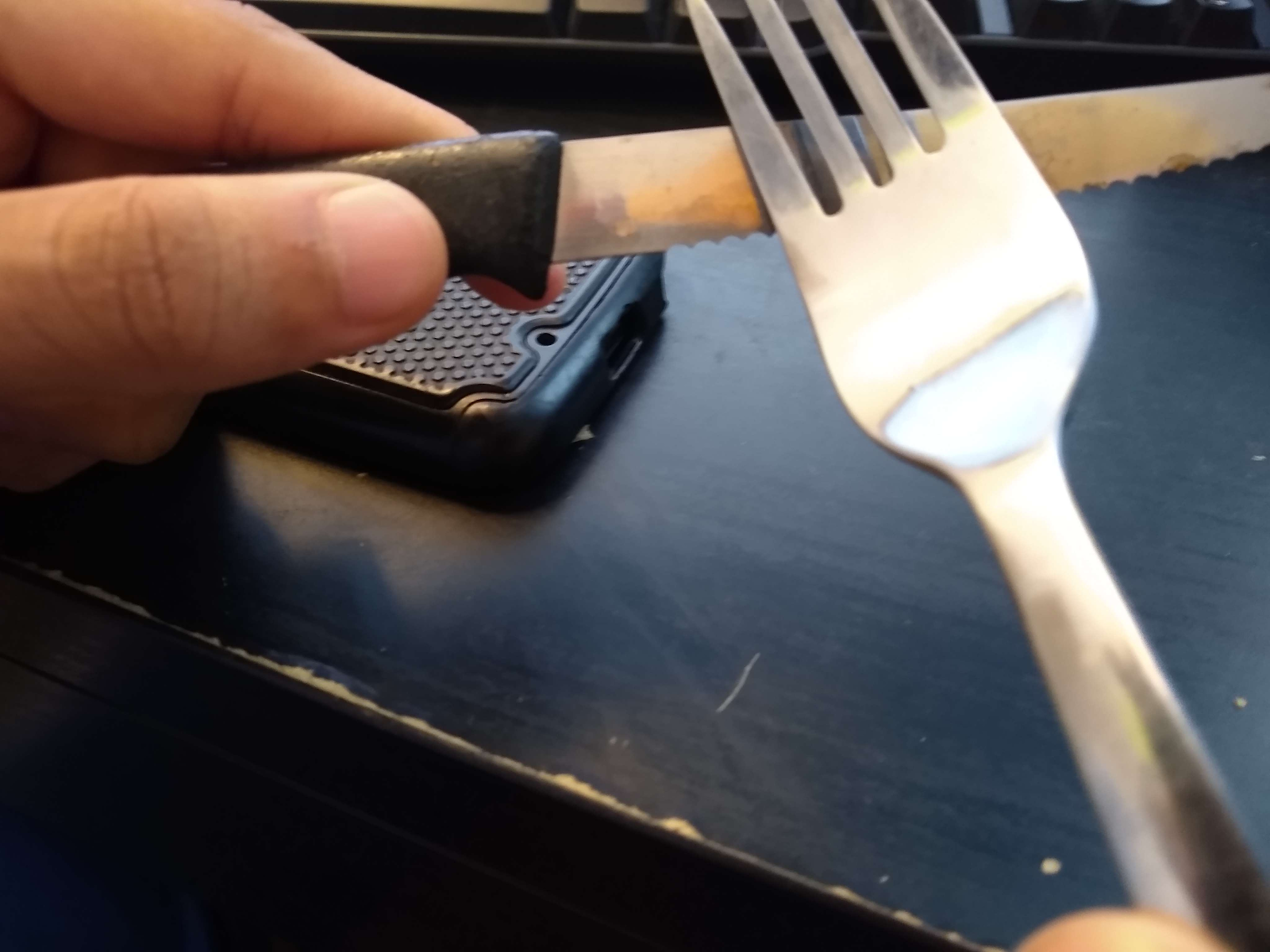
First things first, I made my Foley sounds. For the sound of the needle coming out of the cover, I imagined it would sound quite like a sword being unsheathed. Therefore, I used a knife and a fork, gliding the fork over the smooth end of the knife to create a nice sharp sound. In the photo to the right, you can see the process. The phone on the table was the recording device since I do not have a phone. This means when I am editing I will have to use the "DeNoise" feature to remove the background sounds. 

On top of this, for the sounds of a tooth getting violently ripped out, I used an apple to create the sound. I took a large bite into it which got the right sound I was looking for. When I reached out to Litvinovsky for the music, they responded. Its just that the response I got was not the one I was hoping. 


I learned that to use this music without having it be copyright stricken, I would have to pay around 150 euros in order to obtain a license. This would not do, so I dashed the thought of using classical music by this creator. Next I perused the internet and found a video called "♫ Sad Spooky Piano Violin Music ♫ - Royalty Free Horror Music - Lost But Not Forgotten." This song is a simple piano play softly which can play during the beginning of my clip. However, I still needed some suspense music. This I got from YouTube the video called "Horror Background Music for Videos - Atmospheric Music - scary, suspenseful sounding." This song has an upwards pitch which screams anxiety. This I used for when the shot was going into the mouth. While I have yet to find a final song to bring the opening together, this I will do on my final editing day. As well as this I am retrieving audio clips of Logan screaming to make the tone more tense. 

While everything was going good, what happened to me when I attempted to save was yet another obstacle. When I attempted to save, I got an error from Premiere saying it had to close. This is a bad sign. A sign that my settings for saving every 1 minute had not done its job and that I was going to lose my work. Lo and behold, my clips and Foley sounds were gone. I had to rearrange all the files and put them all back together again. As well as this, I would have to remake all my Foley sounds. After this mishap, I was able to save my redone work. 


Here is my timeline as of current. I still have yet to complete the music for the rightmost portion. This I will likely do on Friday. In addition to this, I will have the video exported by Friday and will begin contemplating what exactly I will do for the CCR. 

Until next time!

Saturday, March 11, 2023

Editing (Part 1/3)

 Today, I started editing the project. The first thing I had to complete was to import my files. Here is where I hit my first roadblock. When attempting to import my .MOV files to Premiere Pro, it only dragged over the audio to the sequence. I was very confused at this because in the Source Monitor and Bin, I could view the video, it just couldn't be put into the sequence. To try to fix the problem, I tried to convert the file format from .MOV to .MP4, which I have heard sometimes resolves problems with the encoders in Premiere. One by one, I transferred the files over to an online converter and redownloaded each clip. The same thing occurred. Still puzzled, I went to the internet in search of a solution. What I found was that this issue is a problem which Premiere has had for over six years. This issue stems from the software itself creating new productions with the wrong initial settings. 


While this screen appears to not have any issues, looking at the alignment of V1 tells otherwise. The video is not synced properly. To fix this, I dragged down the grey V1 to the blue V1. Then by selecting the option to show the video resolved the problem. This was a setback in that it took longer to get started than I had anticipated to begin editing. 


I started to drag all the files into the sequence. This took lots of time just to order the shots in the right way. Then I had to shorten each clip as there was a starting and ending buffer on each one. After this was completed, I had a working video. Looking at the brightness of each scene, it changed the tone I wanted to portray as each shot was well lit and bright yellow. To fix this, I used the Lumetri Color to add more blue to each shot.


The lighter shot is the one before I edited the Color saturation and amount of blue which would appear. The shot after looks much colder and the needle can be seen better as there is more contrast. This coloration is present in the Smile Room. In the waiting room, it will be more lively to show further contrast between the impending danger of Logan and the relative safety of those in the waiting room. 

What I need to do next is add some music, as well as make the transitions a bit more seamless. This will be what I will work on tomorrow. Finding music which fits the scene will be quite difficult, but, if pulled off correctly, will make the scene much more dramatic. As well as this, I will be making Foley sounds for the needle poking Logan and the sounds of teeth getting ripped out with sounds of flesh tearing. I have many ideas for this, but it will have to wait until tomorrow. 

Friday, March 10, 2023

Filming

In this short interval between my last post, much has happened. Firstly, we filmed. On Tuesday, we (me and a few friends) went to Le Orthodontics arrived at 5:00 PM. There were still some people having appointments at the time, so we waited thirty minutes and were allowed to film. When we were allowed to film, the dentistry allowed us to film in a separate room, which I was very grateful for as I wanted the space to feel more isolated for the mood of the scene. In the room was a chair, computer, and a table. It was very cool to be operating within a dentistry with the roles reversed. I would be the dentist. 

Before coming to the dentist I brought a bag which had the teeth, tools, and gloves. As well as this, I dressed in a sterile white shirt. What I found to be convenient was the positioning of the chair to the door. In many psychology videos, when the subject during an interrogation has the authoritarian force between the door it lowers their morale, which is important to show in a horror opening.


While I was filming, we decided to use my friend Rueben's phone. It was an iPhone 13 mini. I had not prior had experience with such a phone so my other friend Sean filmed for me as Rueben and I acted. I was suggested that we use the automatic rack focus tool. This would make the shots breathe and appear as though the shots are more dynamic. We then implemented this into the shots.


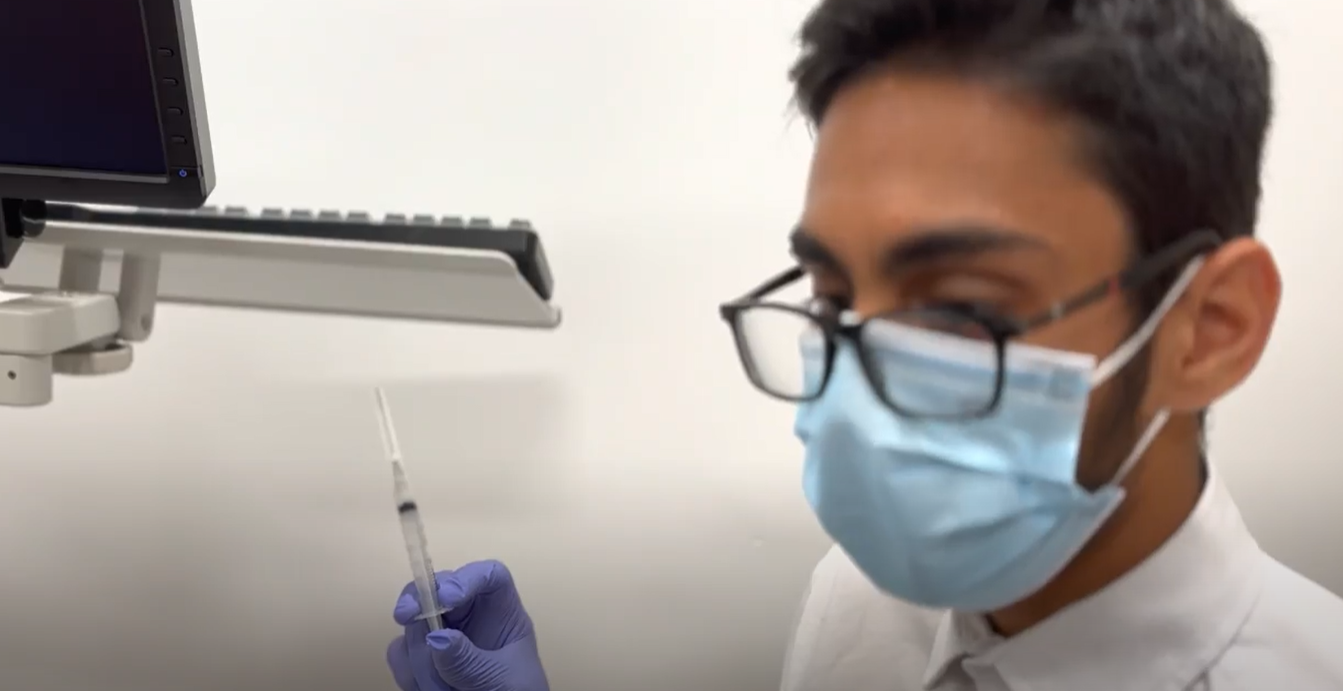
As can be seen in this shot, I am blurred a little as to focus the shot onto the needle which just appeared onto frame. 


What I would have liked to done a bit better if I were to film again next time would be to have more time so I could be all the shots perfect, with various angles if I do not like the ones I have. However, I would call the overall filming day to be successful. Looking back at the footage, only one of the shots did not come as clear as I had hoped, but I took two angles which allows me to edit out the imperfection. 


For the editing, I will need to add a splash of red as I choose not to dress the teeth in ketchup in fear that it would look tacky. This would be one of the shots that I can use a simple mask in order to make the shot look more brutal.


In the next post, I will be editing the overall film and then contemplating what I will do for the CCR.  

Film Opening

This film opening has was an interesting experience for me. This is because I was actually allowed to film in a dentistry. It was very cool ...